

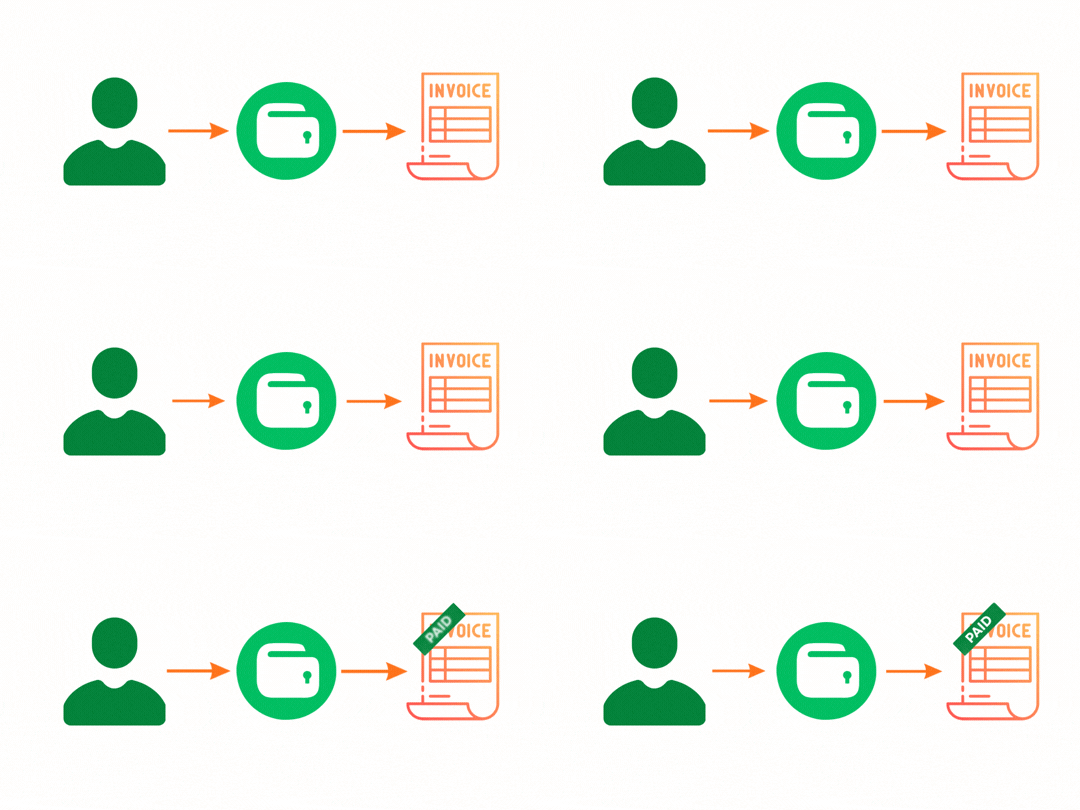

TalkSasa SMS Gateway

Price:

90.00

Wallet Payment Method
38.70
43.00 (10% OFF)
Automatic Mail Servers
0.00
0.00

TalkSasa SMS Gateway

https://gritnecsolutions.com/web/image/product.template/61/image_1920?unique=c5fc73b
(0 review)

90.00 90.0 USD 100.00

100.00

Not Available For Sale


  • Version

This combination does not exist.

Version: 19.0

Module Logo
ODOO MODULE

TalkSasa SMS Integration

Connect Odoo with TalkSasa and send SMS seamlessly from across your Odoo system.

01. Overview

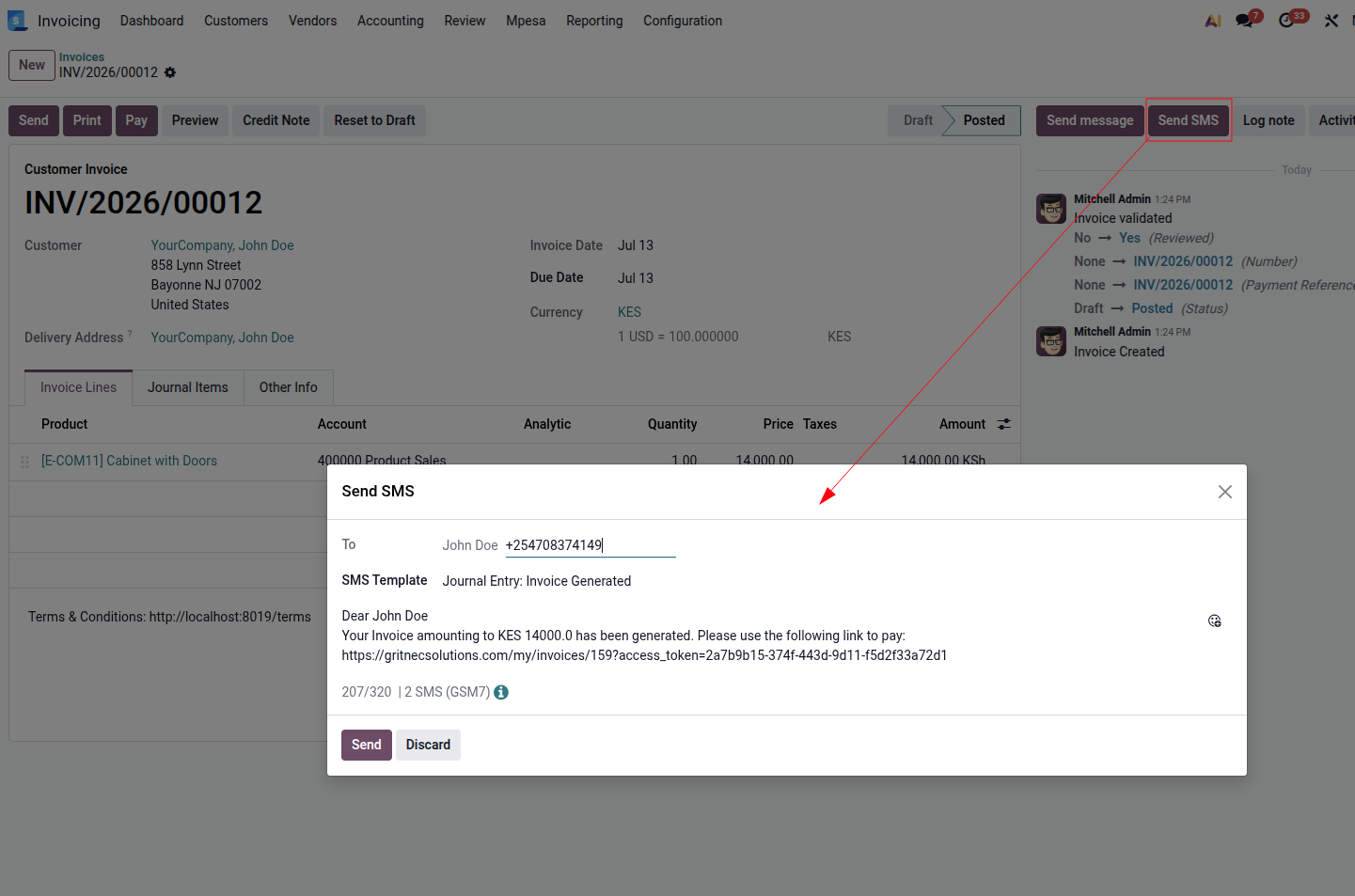
This module integrates Odoo with the TalkSasa SMS Gateway. In addition to the standard Odoo SMS flow, it also allows users to send SMS directly from the chatter of supported documents. Messages can either be entered manually or generated from predefined SMS templates.

Chatter SMS

Send SMS directly from the chatter of supported Odoo documents.

SMS Templates

Create reusable templates with dynamic variables such as {{object.name}} .

Centralized SMS Gateway

Route SMS messages through TalkSasa regardless of where they originate in Odoo.

Developer Friendly

Extend the integration using the provided methods and integrate SMS into custom workflows.

02. Configuration

Follow the steps below to configure the module and connect your Odoo database to TalkSasa.

1

Select the SMS Provider

Open the SMS configuration settings and select Send via TalkSasa as the SMS provider.
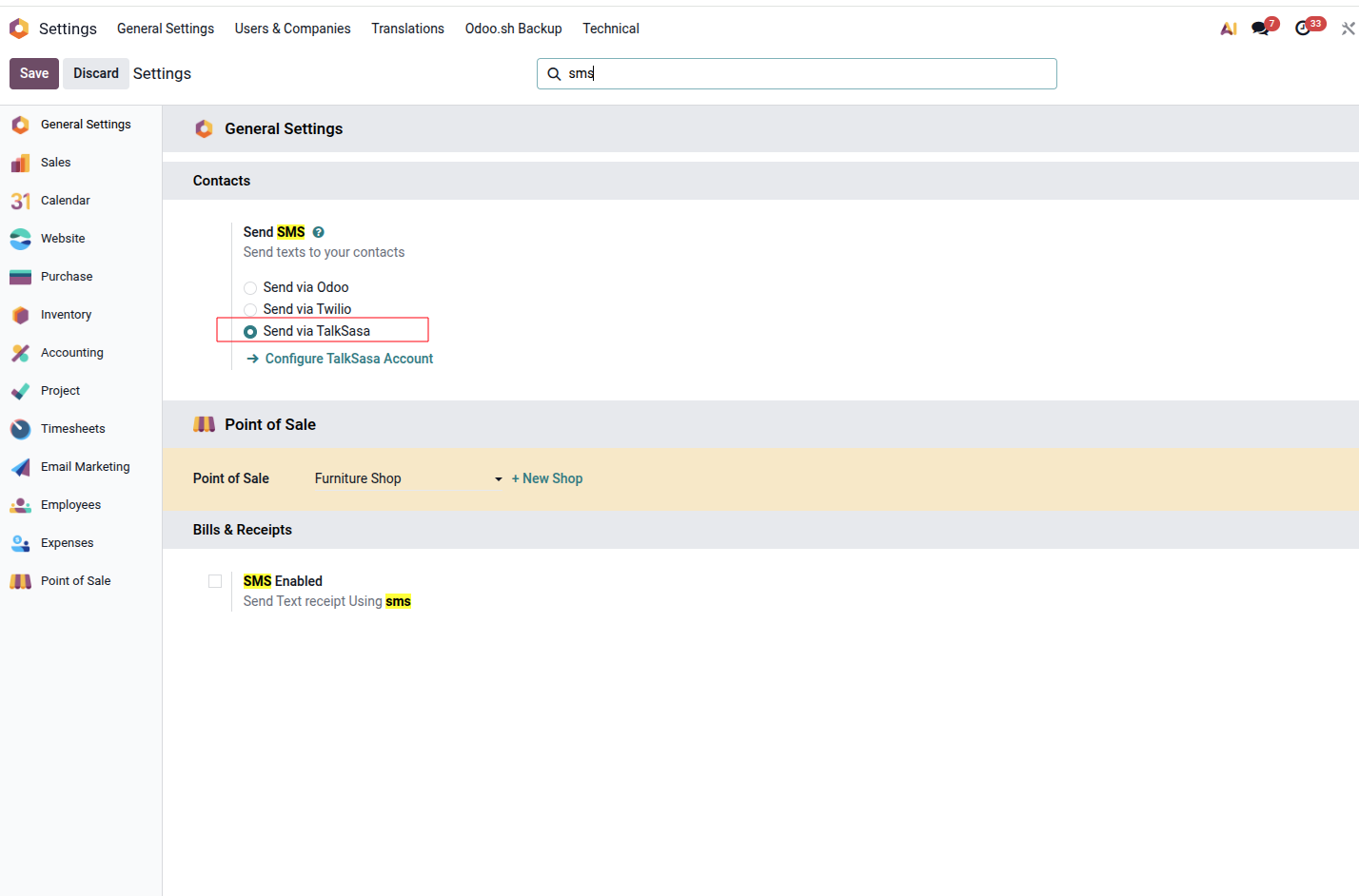
Select SMS Provider
2

Configure TalkSasa

Click Configure TalkSasa Account and enter your TalkSasa credentials. Use Send Test SMS to verify that the configuration is working correctly.
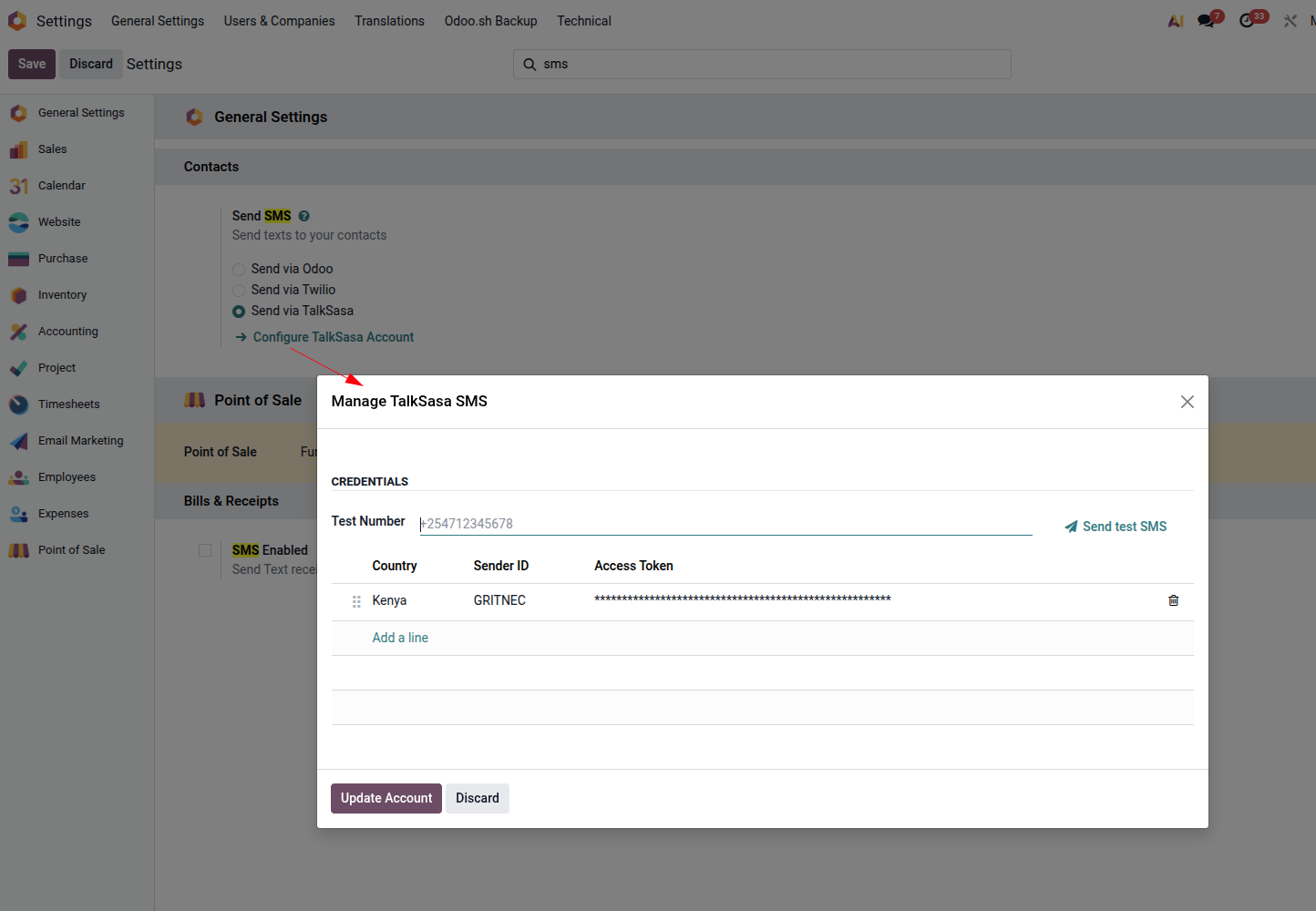
Configure TalkSasa Credentials
3

Create SMS Templates

Create reusable SMS templates for the models you want to integrate. Templates can contain dynamic variables using double curly braces, for example {{object.name}} .
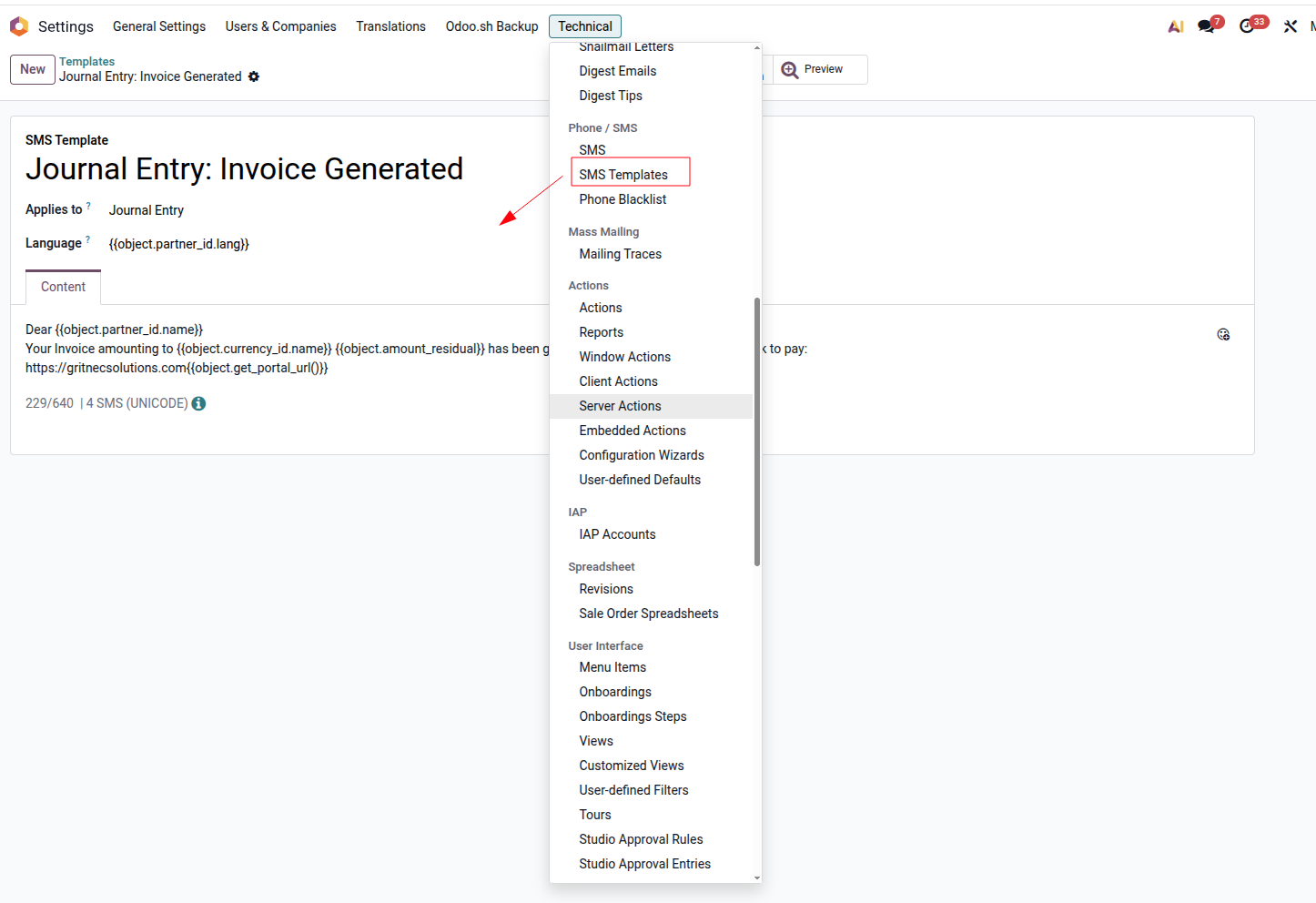
Create SMS Template

03. How it Works

Once configured, SMS messages can be sent from multiple areas of Odoo while using TalkSasa as the underlying gateway.
Odoo SMS Request
Integration Message Processing
TalkSasa SMS Gateway
Send SMS using a template

Send SMS from Anywhere

You can send SMS from multiple locations throughout Odoo, including:

  • The Send SMS button in the chatter
  • The SMS icon in the phone widget
  • The SMS Marketing application

Regardless of where the message originates, the integration routes the SMS through TalkSasa.

Developer Integration

Developers can extend the integration using the following methods:

send_sms_with_template(self, template_id)

Available on models containing a partner_id field. Takes an SMS template record as its argument.

send_sms_notification(self, message)

Available on res.partner . Takes the message to send as a string.

Need Help?

For support, questions, or customization inquiries, get in touch with us.

EMAIL support@gritnecsolutions.com
WEBSITE www.gritnecsolutions.com
CALL / WHATSAPP +254 756 774 805
Gritnec Solutions Solving your business mysteries