




Tailwind CSS Website

Price:

54.00

Automatic Mail Servers
0.00
0.00

Tailwind CSS Website

https://gritnecsolutions.com/web/image/product.template/64/image_1920?unique=a35e183
(0 review)

54.00 54.0 USD 60.00

60.00

Not Available For Sale


  • Version

This combination does not exist.

Version: 19.0

Tailwind CSS Website
ODOO MODULE

Tailwind CSS Website

Use Tailwind CSS classes directly in your Odoo website without installing Tailwind CLI, Node.js, or third-party libraries.

01. Overview

Odoo uses Bootstrap as its base CSS framework. Tailwind utility classes pasted into the Odoo website editor therefore are not automatically recognized. Tailwind CSS Website solves this by detecting the Tailwind classes used by your website and generating the corresponding Tailwind CSS stylesheet.

Install the module, configure your website, select the Tailwind CSS version you want to use, and start building your Odoo website with familiar Tailwind utility classes.

Tailwind CSS in Odoo

Use Tailwind utility classes alongside Odoo's existing website framework without manually compiling a stylesheet.

Automatic CSS Generation

The module scans the Tailwind classes used by your website and generates the CSS required to render them.

No Third-Party Dependencies

No Tailwind CLI, Node.js or additional third-party libraries are required on your Odoo server.

Build with Utility Classes

Copy Tailwind-based HTML into the Odoo website editor and use utility-first styling to create your pages.

02. Configuration

Configuration is intentionally simple. Enable Tailwind CSS for your website and select the version you want to use.

1

Enable Tailwind CSS

Open your Odoo website configuration and enable Use Tailwind CSS . This activates Tailwind CSS support for the selected website.
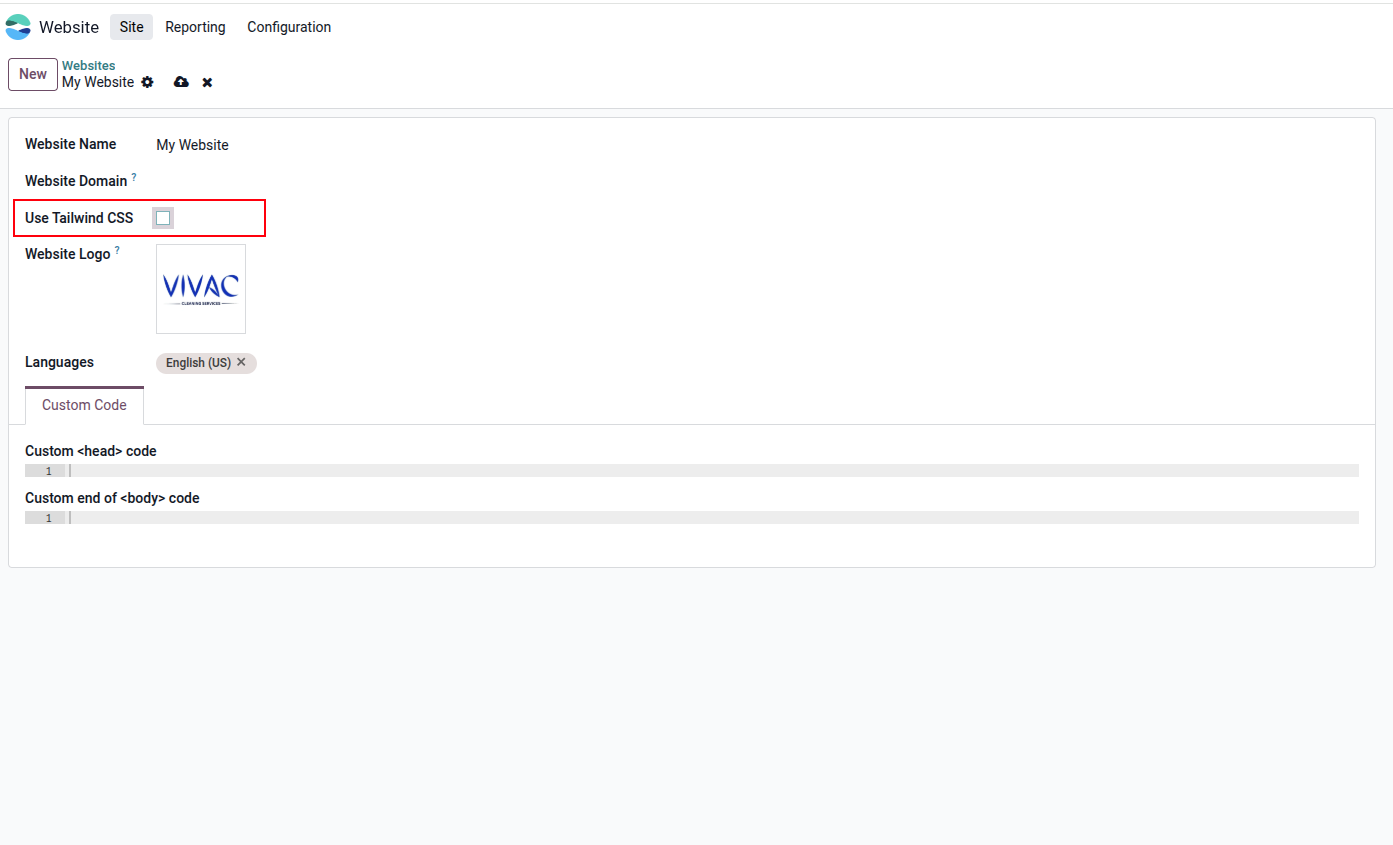
Enable Tailwind CSS on the Website Form
2

Select the Tailwind CSS Version

Select the Tailwind CSS version your website should use. The configuration shown supports versions such as 3.4.17 and 4.1.13 .
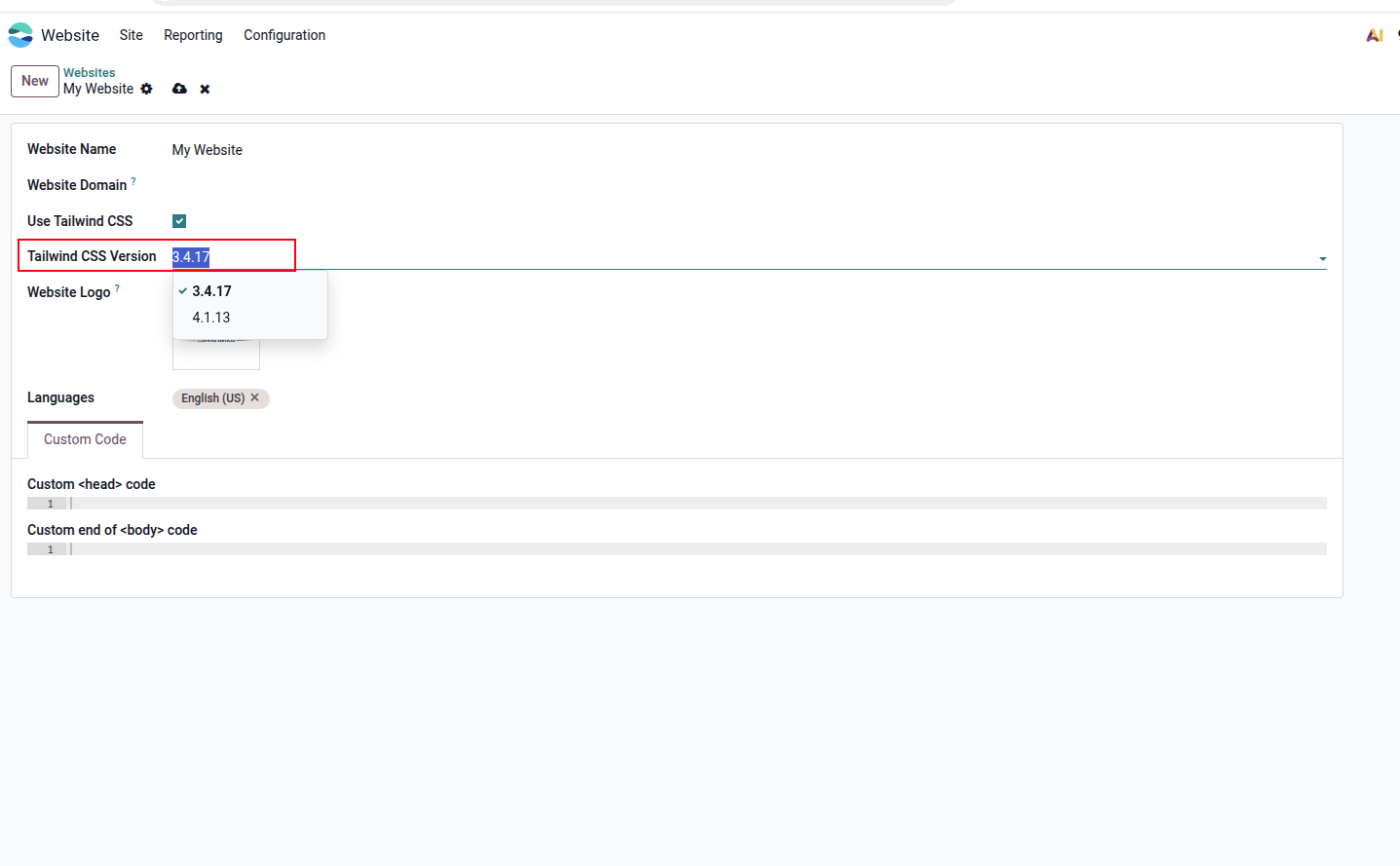
Select the Tailwind CSS version

03. How it Works

Once configured, the module bridges the gap between Tailwind HTML and Odoo's Bootstrap-based website environment.

Configure Enable Tailwind CSS
Add HTML Use Tailwind classes
Scan Classes Detect utilities
Generate CSS Render styles

Build Your Website with Tailwind

Copy HTML containing Tailwind CSS utility classes into the Odoo website editor. The module makes the required Tailwind styles available so those classes can be rendered by the website.
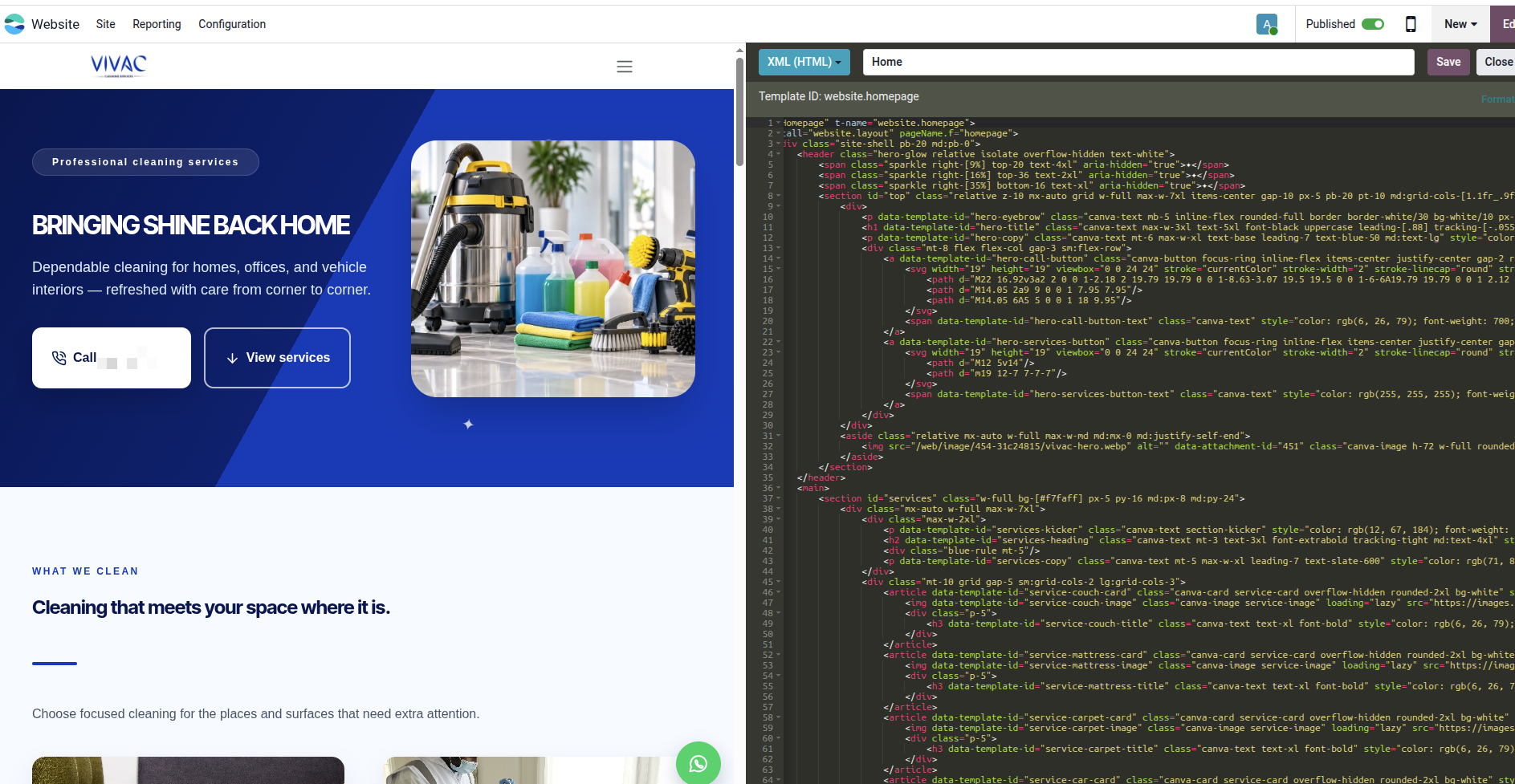
Tailwind CSS in the Odoo website editor

This lets you use Tailwind-based HTML designs and templates directly in Odoo instead of manually converting every utility class to Bootstrap.

A Simpler Tailwind Workflow for Odoo

You do not need to configure a separate Tailwind build environment for every Odoo installation. Install the module, select your preferred version and work directly inside your Odoo website.
No Tailwind CLI
No separate CLI installation required.
No Node.js Setup
No Node-based build pipeline is required.
Odoo Native Workflow
Work directly with the Odoo website editor.
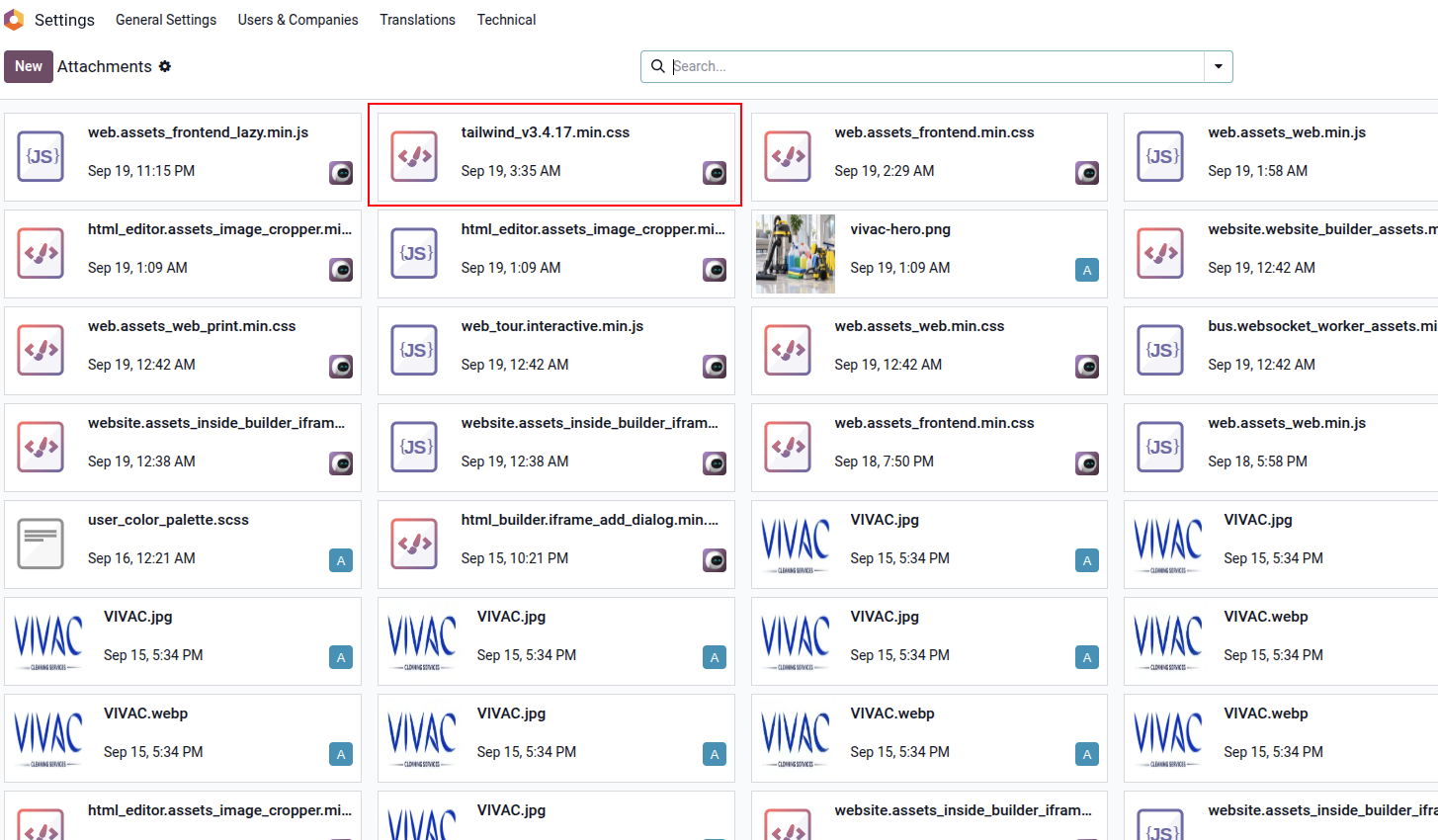
Generated Tailwind CSS attachment in Odoo

The Generated CSS is Automatically Attached

After Tailwind classes are detected and the stylesheet is generated, the module creates a CSS attachment inside Odoo. The generated stylesheet is then automatically injected into the website as a CSS source.

This means the generated styles become part of the website's normal asset flow, allowing Tailwind-based content to render without requiring a separate Tailwind build process on the server.

Why Tailwind CSS Changes Odoo Website Design

Bootstrap provides a collection of predefined components and utilities. Tailwind CSS takes a different approach: it gives you low-level utility classes that let you build your own components from the ground up.

This opens Odoo website design to far more possibilities. You are no longer limited to the visual patterns provided by a component library; you can reproduce highly customized interfaces and brand-specific designs directly in your Odoo website.

Design in Canva. Build directly in Odoo. If you use design tools such as Canva that provide UI code, you can copy the generated HTML containing Tailwind classes directly into the Odoo website editor. The Tailwind styles are generated automatically and the interface can be rendered as designed. This saves development time and lets you focus more of your effort on the business logic behind the website.

Behind the Scenes

The module follows a straightforward process:

1. HTML Your website contains Tailwind classes.
2. Scan Used Tailwind classes are identified.
3. Generate Corresponding CSS is generated.
4. Render Tailwind-styled content is displayed.

Need Help?

For support, questions, customizations, or implementation assistance, get in touch with us.

EMAIL support@gritnecsolutions.com
WEBSITE www.gritnecsolutions.com
CALL / WHATSAPP +254 756 774 805
Gritnec Solutions Solving your business mysteries