



02. Configuration
Build your automotive catalog by defining the vehicle hierarchy and organizing products into meaningful groups and sub-groups.
Set Up the Vehicle Catalog
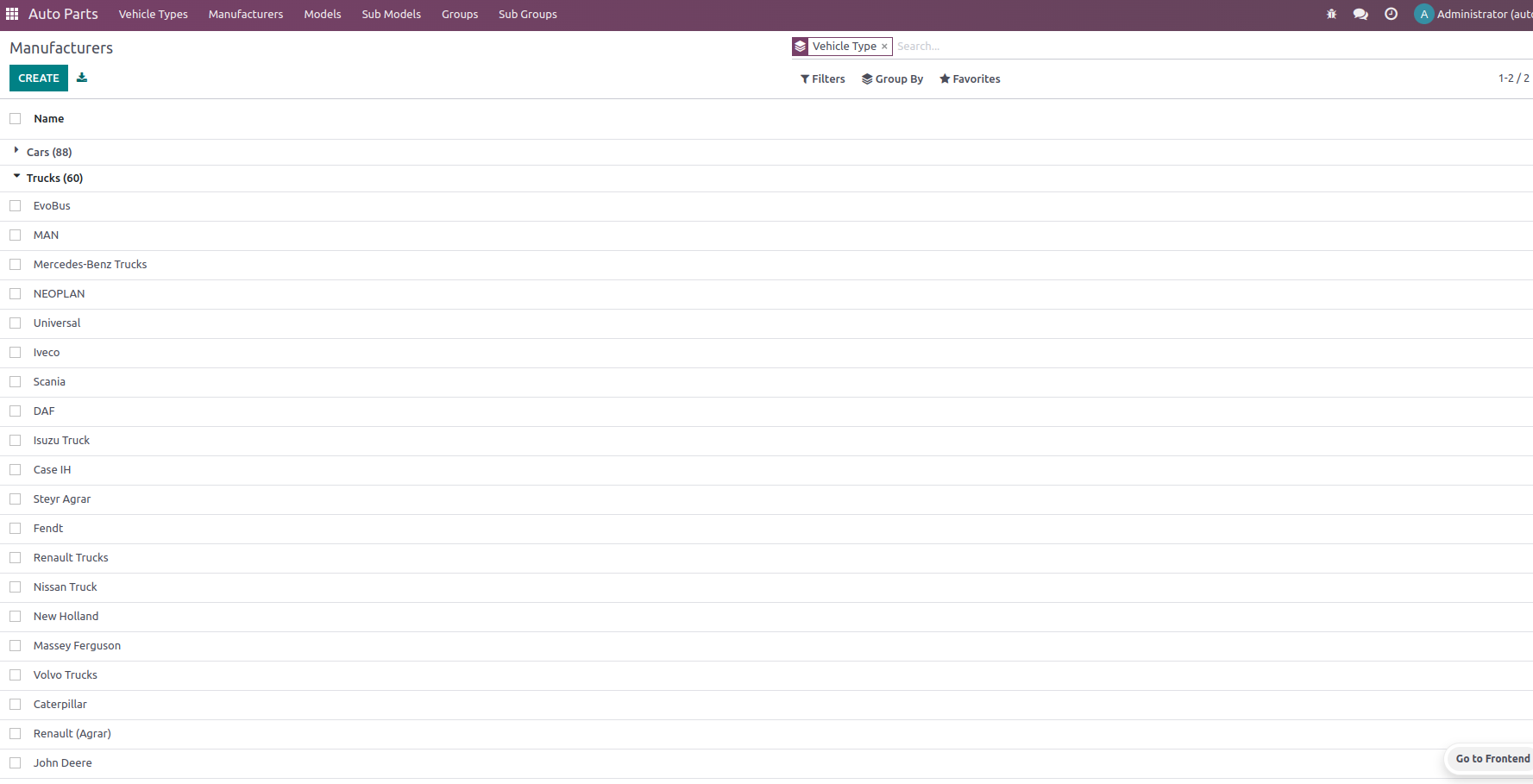
Define your vehicle database using a clear hierarchy of Vehicle Types → Manufacturers → Models → Sub Models . This structure lets you describe compatibility at the level that makes sense for your business.
Organize Parts with Groups
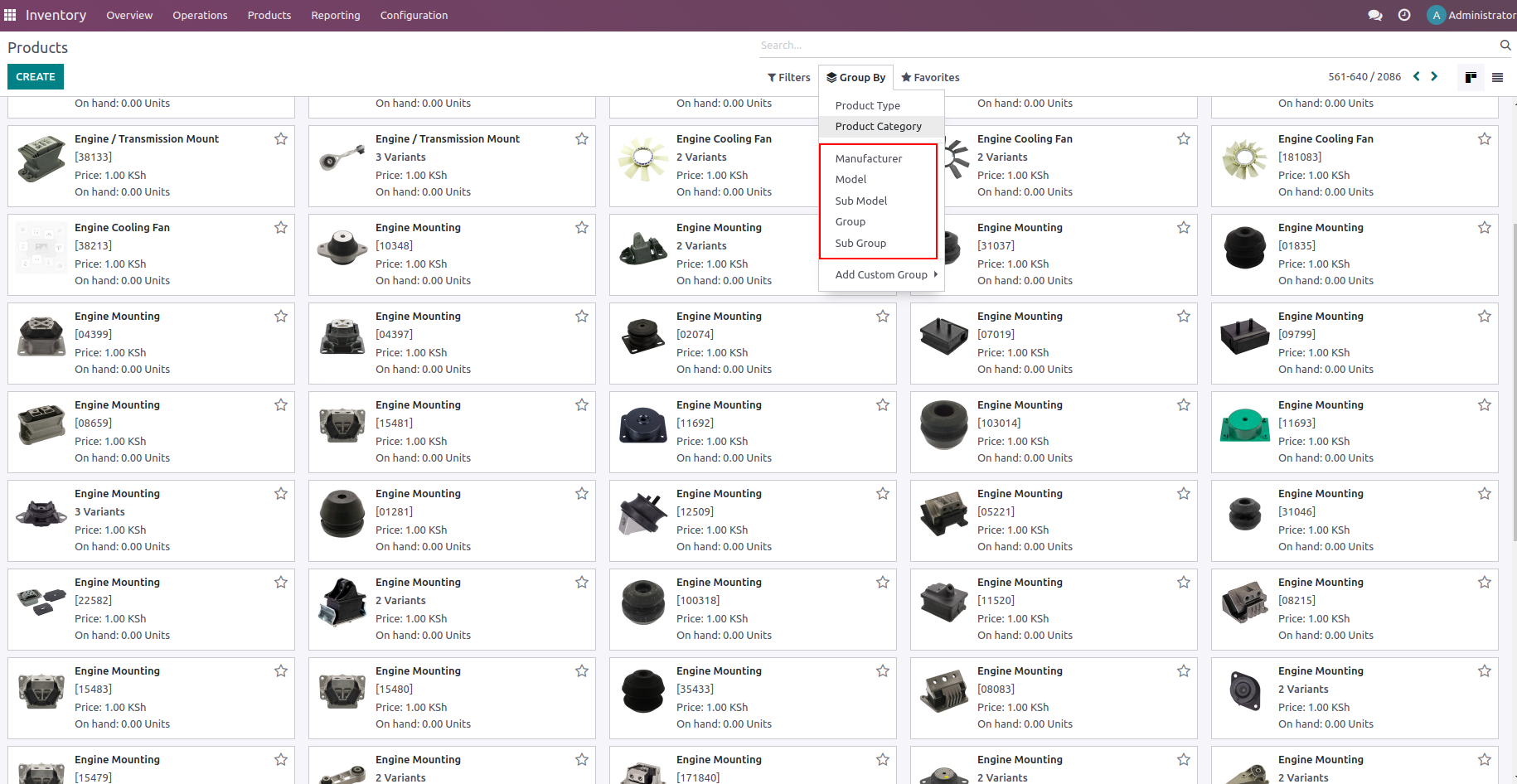
Create product Groups and Sub Groups such as Engine, Cooling System, Drive Train or Suspension. These categories help users navigate the catalog and narrow down searches quickly.
Add Automotive Details to Products
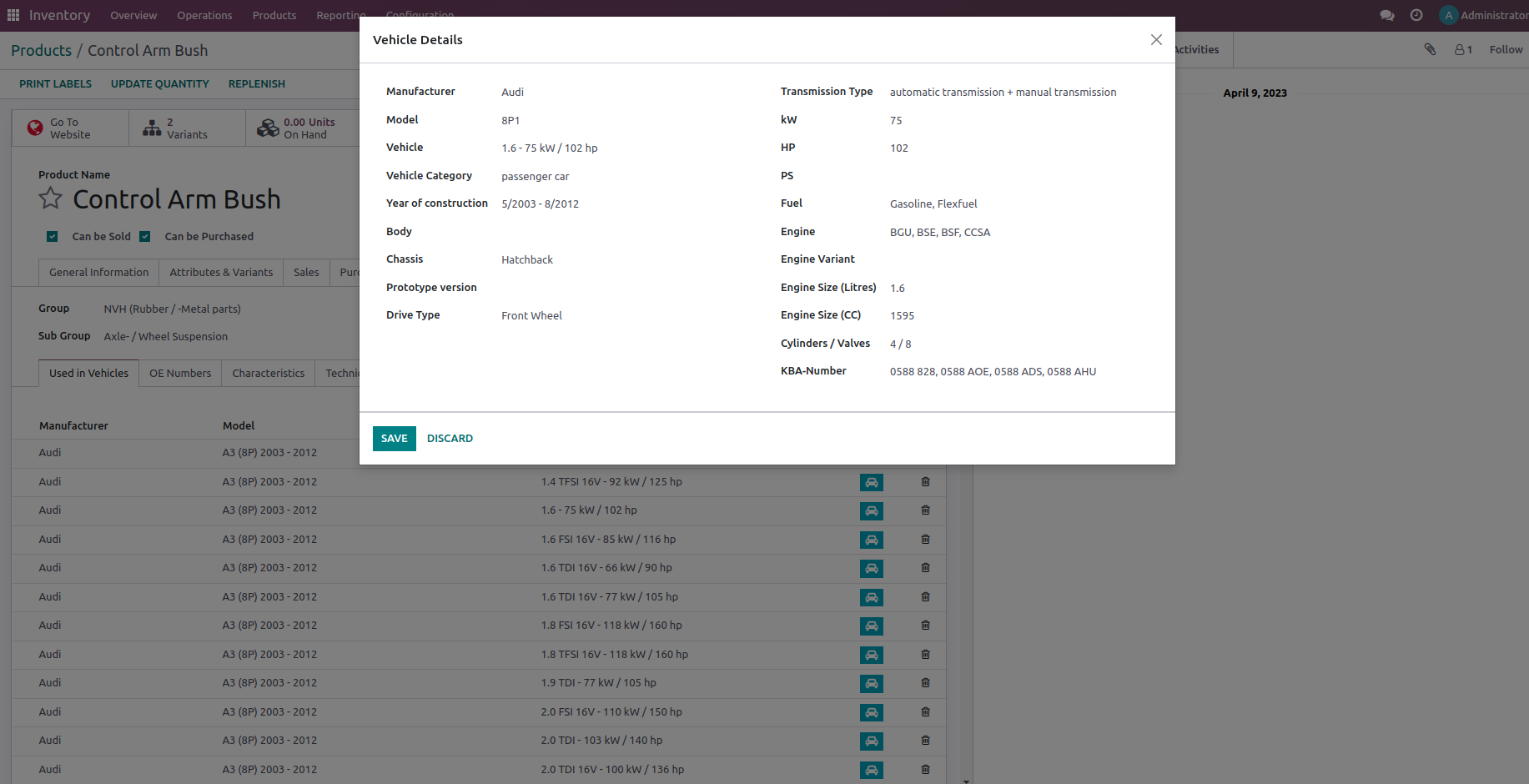
Open a product and use the Auto Part Details section to add its compatible vehicles, OE numbers, characteristics and technical data. Existing Odoo inventory, sales and purchasing information remains available alongside the automotive details.
03. How it Works
Once your catalog is populated, the module brings automotive-aware product identification directly into everyday Odoo workflows.
Find Parts by Vehicle
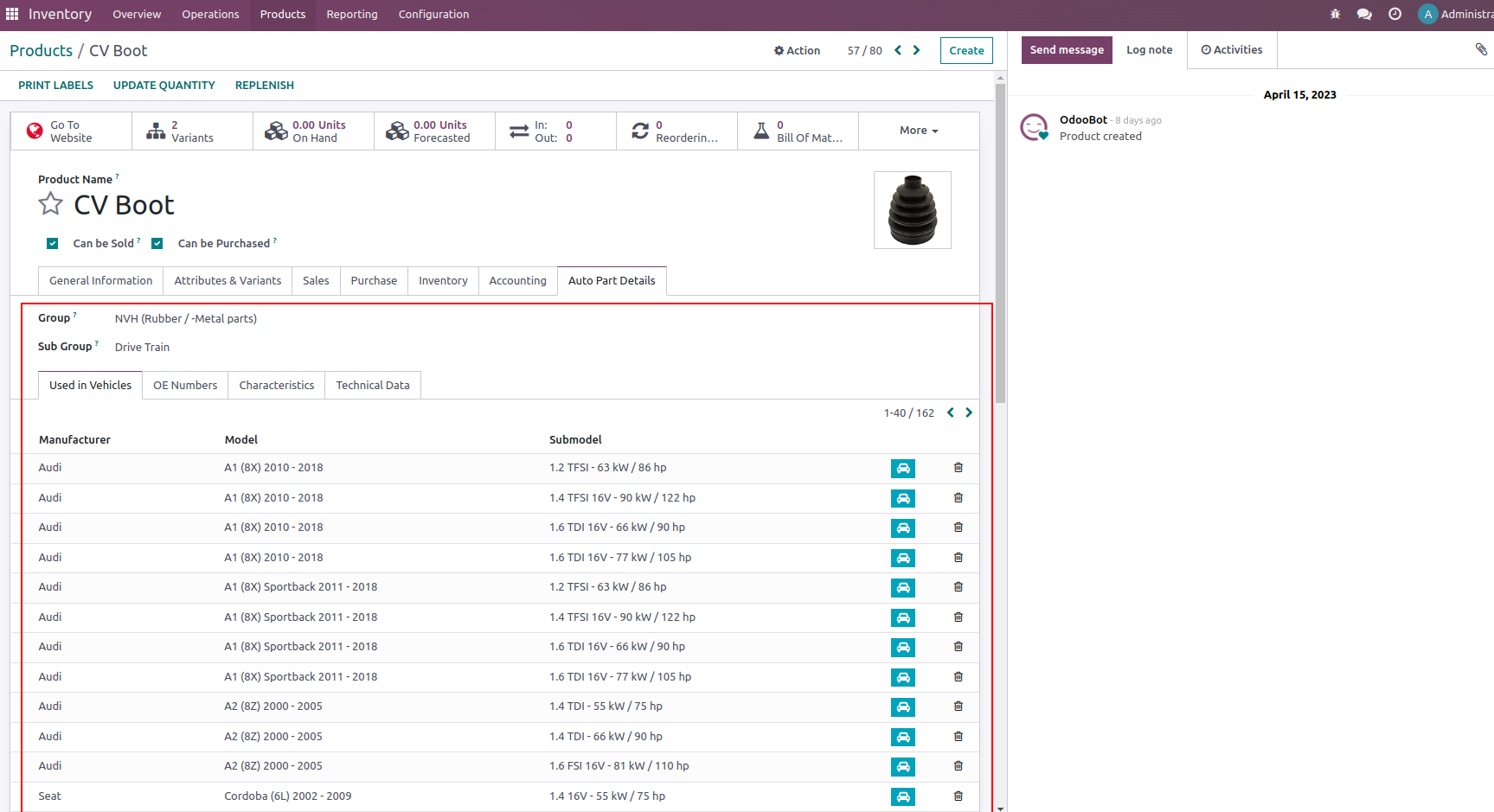
Store exactly which vehicles a product fits. A part can be linked to multiple manufacturers, models and sub-models, giving your team a reliable vehicle-to-part lookup.
The Used in Vehicles view provides a quick reference for all compatible vehicles associated with a product.
Search by OE Number
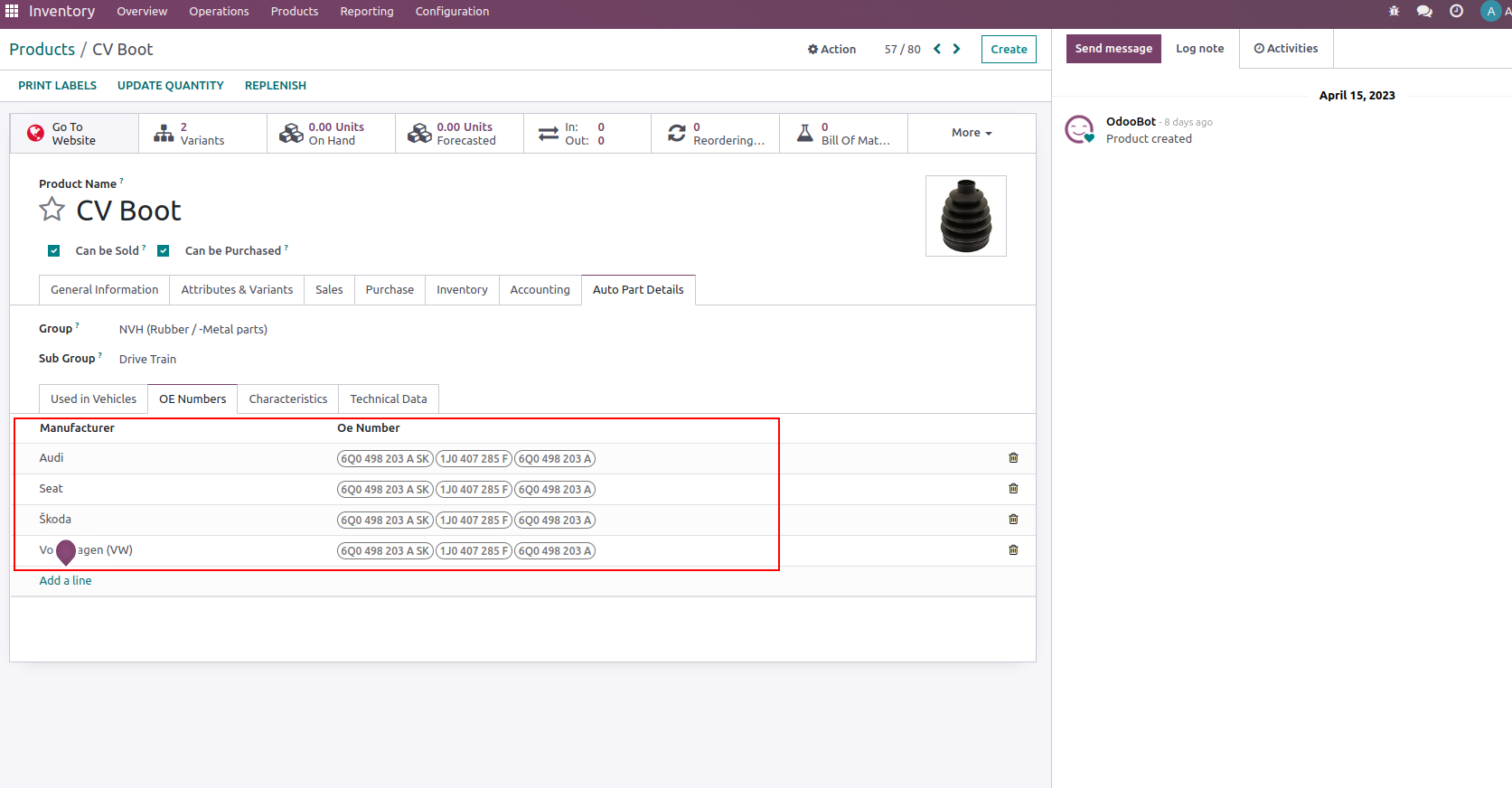
Store one or more OE numbers and associate them with the relevant manufacturer. When a customer provides an original part number, your team can use it to locate the corresponding aftermarket product quickly.
Capture Product Characteristics
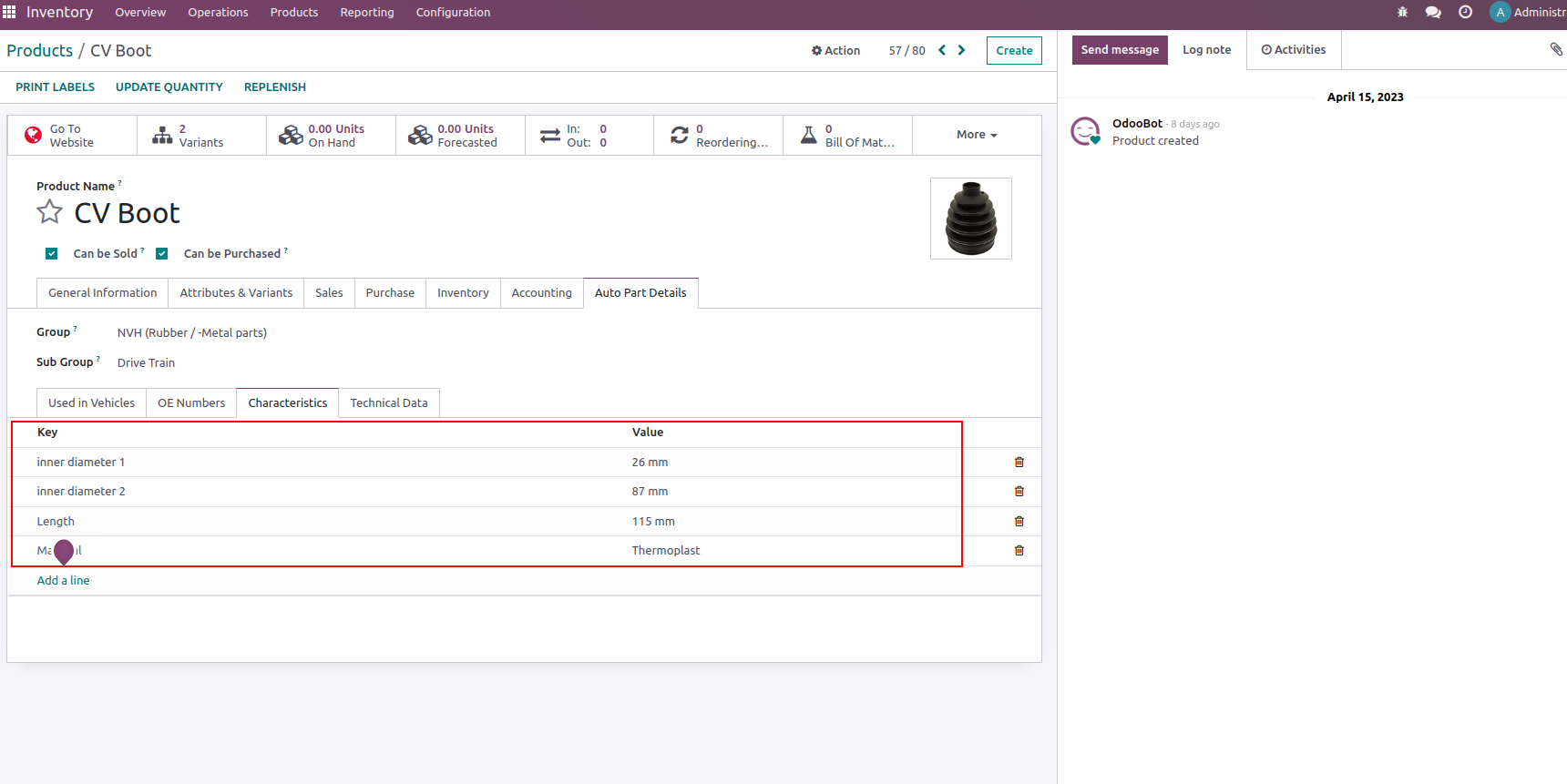
Add structured characteristics such as inner diameter, outer diameter, length, material and other measurements that are important when identifying spare parts.
This turns product specifications into searchable information instead of leaving important details buried in free-text descriptions.
Keep Technical Documentation Close
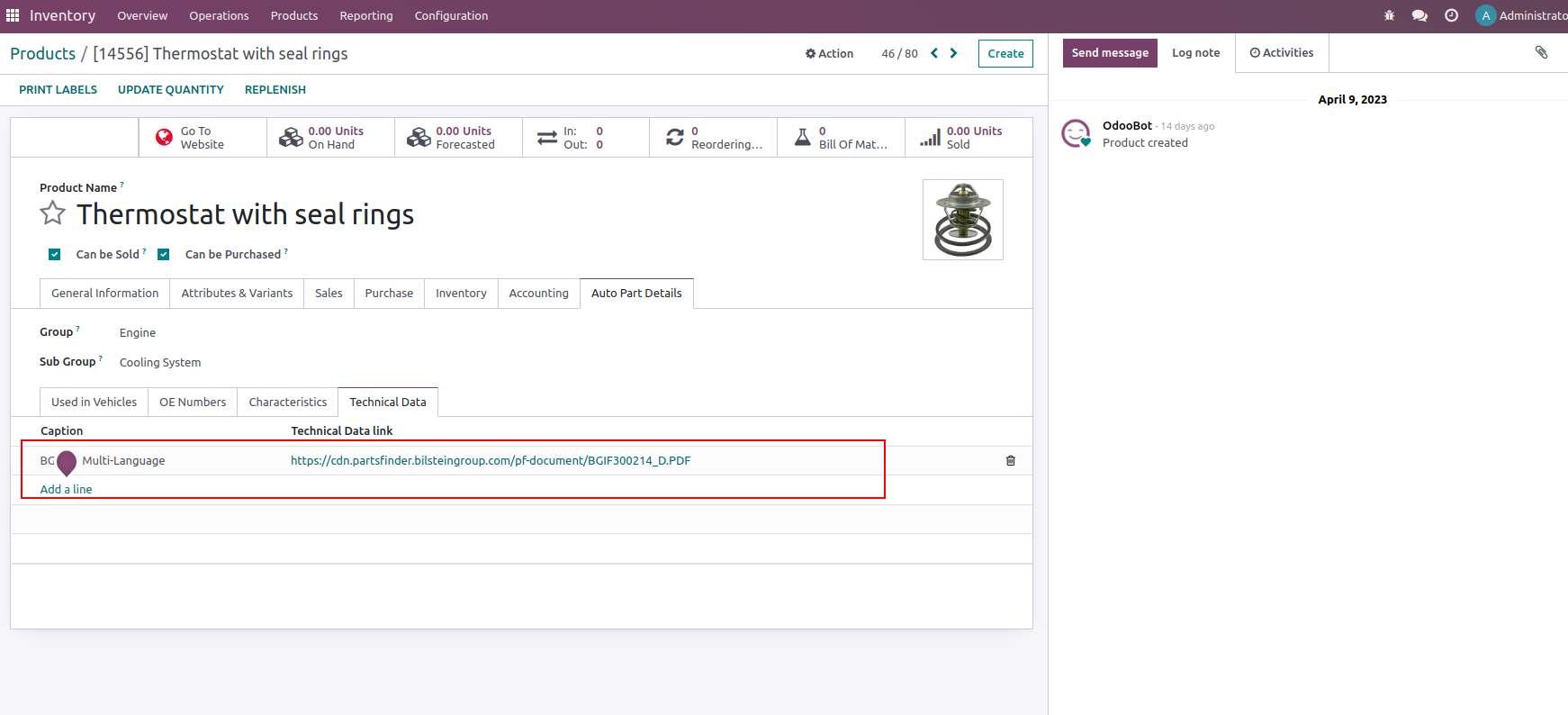
Attach links to technical data and documentation directly to the product. Your team can access installation information, catalog documents and other technical references without leaving the product record.
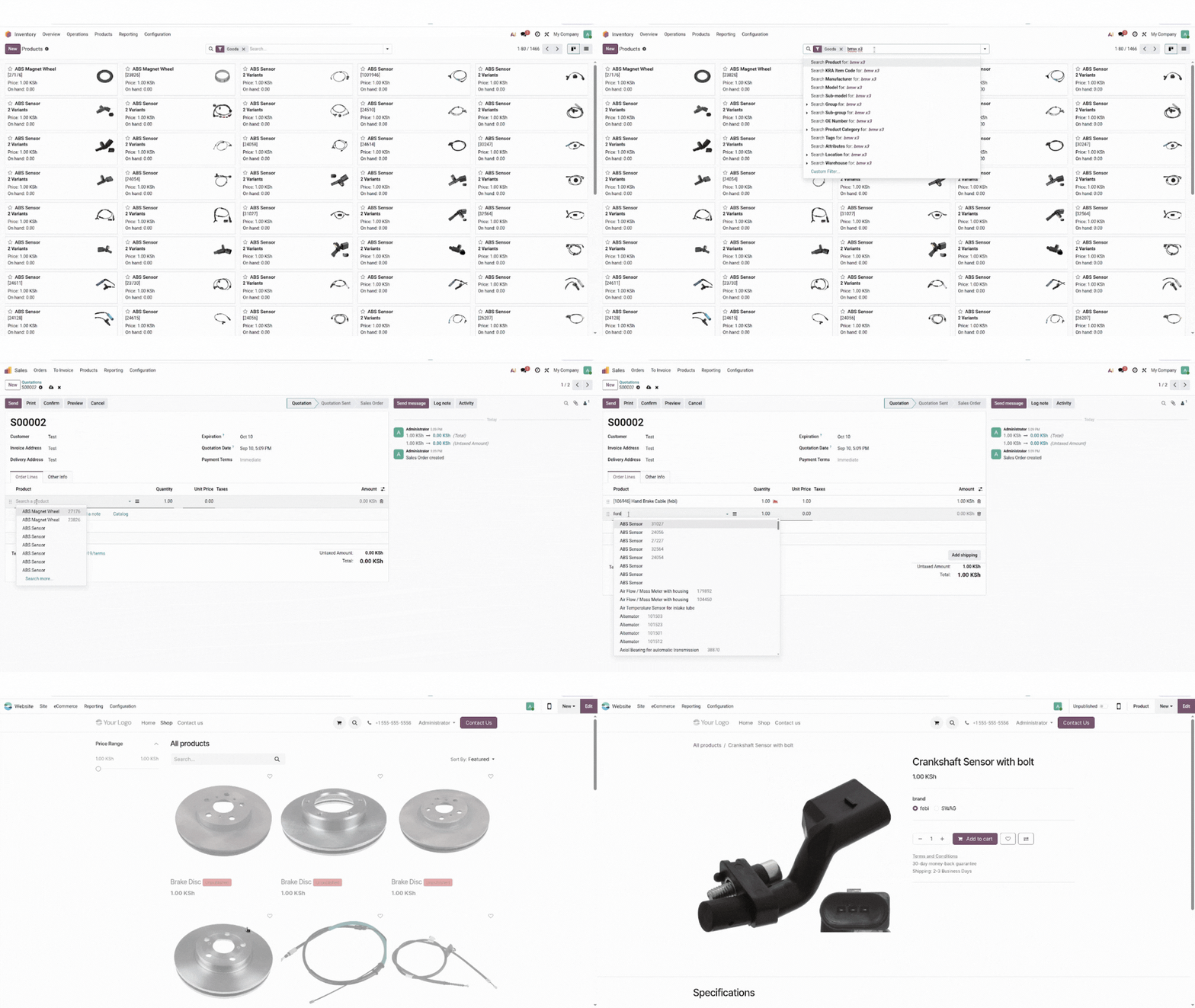
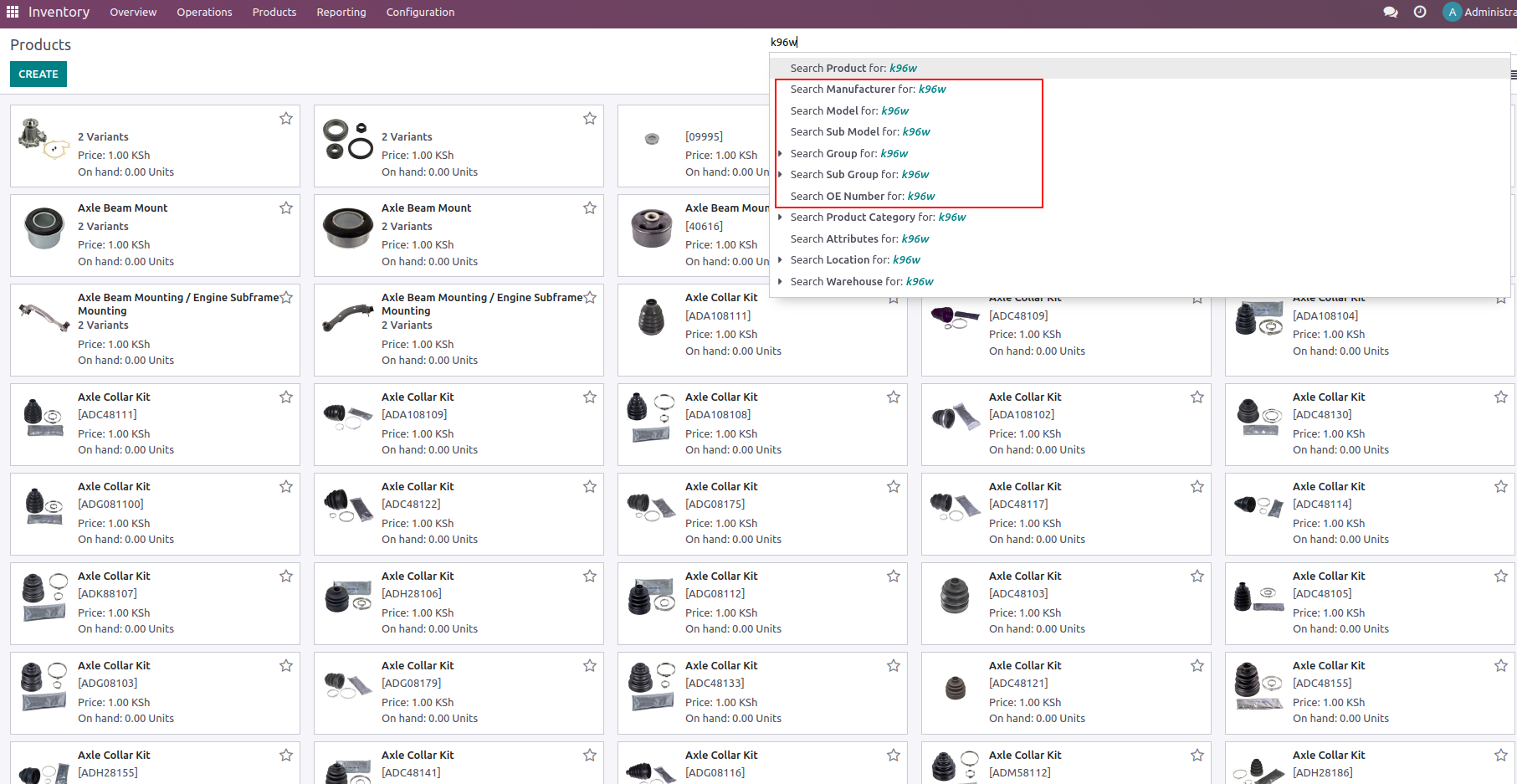
The enhanced product search can use automotive information instead of forcing users to remember an internal product name or code.
Search from Where You Work
Automotive product search is designed to fit naturally into your existing Odoo workflows. Your users can use the additional product information while selecting products in areas such as: